Health Dashboard Part 2: Wiring In Nutrition (And the Cloudflare Detour)
Overview
Part 1 ended with a working Strava dashboard and a clear gap: no nutrition. The whole reason for building the MFP MCP server was to fill that gap. This is the post where that actually happens — and where the MFP server turned out to be silently broken.
The plan
The Strava integration taught me what shape the dashboard data layer should take. strava_data.py wraps the StravaClient import and exposes a clean interface to app.py with Streamlit’s @st.cache_data on top. MFP should work the same way.
A mfp_data.py file, two functions:
def get_nutrition_for_date(d: date) -> dict:
    """Returns {daily_totals, goals} for one day."""

def get_nutrition_range(start: date, end: date) -> list[dict]:
    """Returns [{date, daily_totals, goals}, ...] for a date range."""
Both catch exceptions silently and return empty dicts/lists on failure. If MFP auth is broken or the server is down, the dashboard degrades gracefully instead of crashing.
The UI plan: nutrition cards alongside the activity cards in the Today and Yesterday columns, and a 7-day average nutrition row at the bottom of the Last 7 Days section. Calories, protein, carbs, fat — with goal deltas where available.
Straightforward in theory.
The auth enforcement layer
Before adding the UI, I added a start script — a ./start wrapper that replaces running streamlit run app.py directly. It checks auth status for both data sources before launching:
  Strava  ✓
  MFP     ✓  (cache expires in 347m)

Dashboard starting...
  → http://localhost:8501
If the MFP cookie cache is stale or missing, it warns you and tells you what to run. If both are fresh, it sets MFP_REQUIRED=1 before handing off to Streamlit:
export MFP_REQUIRED=$MFP_OK
exec .venv/bin/streamlit run app.py "$@"
MFP_REQUIRED=1 makes mfp_data.py raise a visible RuntimeError if MFP calls fail — instead of the silent empty-data behavior it defaults to. This distinction matters: if you started the dashboard with auth confirmed fresh, an MFP failure is worth surfacing loudly. If you started without running auth, silence is correct (maybe you don’t have Chrome open, maybe you’re on a plane).
The empty nutrition cards
I wired up mfp_data.py, added nutrition cards to the Today and Yesterday columns, pushed the 7-day average row. Opened the dashboard. Nutrition cards were there. All zeros. Every macro. Every day.
This is the silent failure mode: the code ran, the data layer returned results, the results just had no nutrition in them.
I checked mfp-mcp auth:
Auth OK — logged in as: icbichir1
I asked Claude to call get_food_diary for today. It returned a diary with meals listed but zero nutritional data in each meal.
The server was up. The tools were responding. The data was empty.
Diagnosing the actual problem
A direct requests call to https://www.myfitnesspal.com/food/diary/icbichir1 with the cookies from Chrome came back 403. That was the diagnosis: Cloudflare Bot Fight Mode. The HTML scraper at the core of python-myfitnesspal was being blocked at the network level, returning a 403 challenge page that the library silently parsed into empty diary data.
The cf_clearance cookie that grants access to MFP’s HTML pages expires in hours. When the cookie was fresh, the scraper worked. When it expired, every request failed — and the library had no way to renew it, because renewing requires solving a browser-based JavaScript challenge that no automated HTTP client can replicate reliably.
MFP MCP Part 3 is the full account of that debugging session — the bypasses tried, why each failed, and what we eventually found. The short version: api.myfitnesspal.com, MFP’s mobile API, has no Cloudflare protection. Getting a bearer token to use it requires one Cloudflare-free endpoint on the main domain. The entire scraping layer was replaced with clean JSON API calls.
The actual nutrition UI
Once the data was flowing, the UI came together quickly.
Each day’s nutrition renders as a four-column metric row inside a bordered container:
def render_nutrition(data: dict, title: str) -> None:
    totals = data.get("daily_totals", {})
    goals = data.get("goals", {})
    if not totals:
        st.caption("No nutrition data")
        return

    calories = totals.get("calories", 0)
    cal_goal = goals.get("calories", 0)
    protein = totals.get("protein", 0)
    carbs = totals.get("carbohydrates", 0)
    fat = totals.get("fat", 0)

    with st.container(border=True):
        remaining = round(cal_goal - calories) if cal_goal else None
        delta_str = f"{remaining:+.0f} remaining" if remaining is not None else None

        c1, c2, c3, c4 = st.columns(4)
        c1.metric("Calories", f"{calories:.0f} kcal", delta=delta_str)
        c2.metric("Protein", f"{protein:.0f} g")
        c3.metric("Carbs", f"{carbs:.0f} g")
        c4.metric("Fat", f"{fat:.0f} g")
The Today and Yesterday columns each get a render_nutrition() call beneath the activity cards. The Last 7 Days section gets a 7-day aggregate row — average daily calories, protein, carbs, fat — built from the same get_nutrition_range() call that feeds the trend table.
The goal deltas (the remaining line) currently show nothing — the mobile API doesn’t expose calorie/macro targets in an obvious way, so get_goals returns empty for now. The consumption data is accurate.
The start script
The ./start wrapper is the part of this build I use every day. The full check:
STRAVA_TOKENS="$HOME/.config/strava-mcp/tokens.json"
MFP_CACHE="$HOME/.config/mfp-mcp/cookies.json"

# Check Strava token expiry
EXPIRES=$(python3 -c "import json; print(json.load(open('$STRAVA_TOKENS'))['expires_at'])")
[ "$EXPIRES" -lt "$NOW" ] && echo "  Strava  ⚠  token expired" || echo "  Strava  ✓"

# Check MFP cookie cache age (12h TTL)
MTIME=$(python3 -c "import os; print(int(os.path.getmtime('$MFP_CACHE')))")
AGE=$(( NOW - MTIME ))
if [ "$AGE" -gt 43200 ]; then
    echo "  MFP     ⚠  cookie cache stale — run: mfp-mcp auth"
    MFP_OK=0
else
    echo "  MFP     ✓  (cache expires in $(( (43200 - AGE) / 60 ))m)"
    MFP_OK=1
fi

export MFP_REQUIRED=$MFP_OK
exec .venv/bin/streamlit run app.py "$@"
Run ./start instead of streamlit run app.py. If auth is stale, it tells you what to run before it launches. If both are fresh, the dashboard comes up with MFP_REQUIRED=1 and you get loud failures instead of silent zeros if anything goes wrong mid-session.
What this version of the dashboard shows
Today column — activity cards (name, distance, pace/HR) + nutrition card (calories, protein, carbs, fat).
Yesterday column — same structure.
Last 7 Days — full activity list with aggregate totals, plus a nutrition row: average daily calories, protein, carbs, fat across the 7-day window.
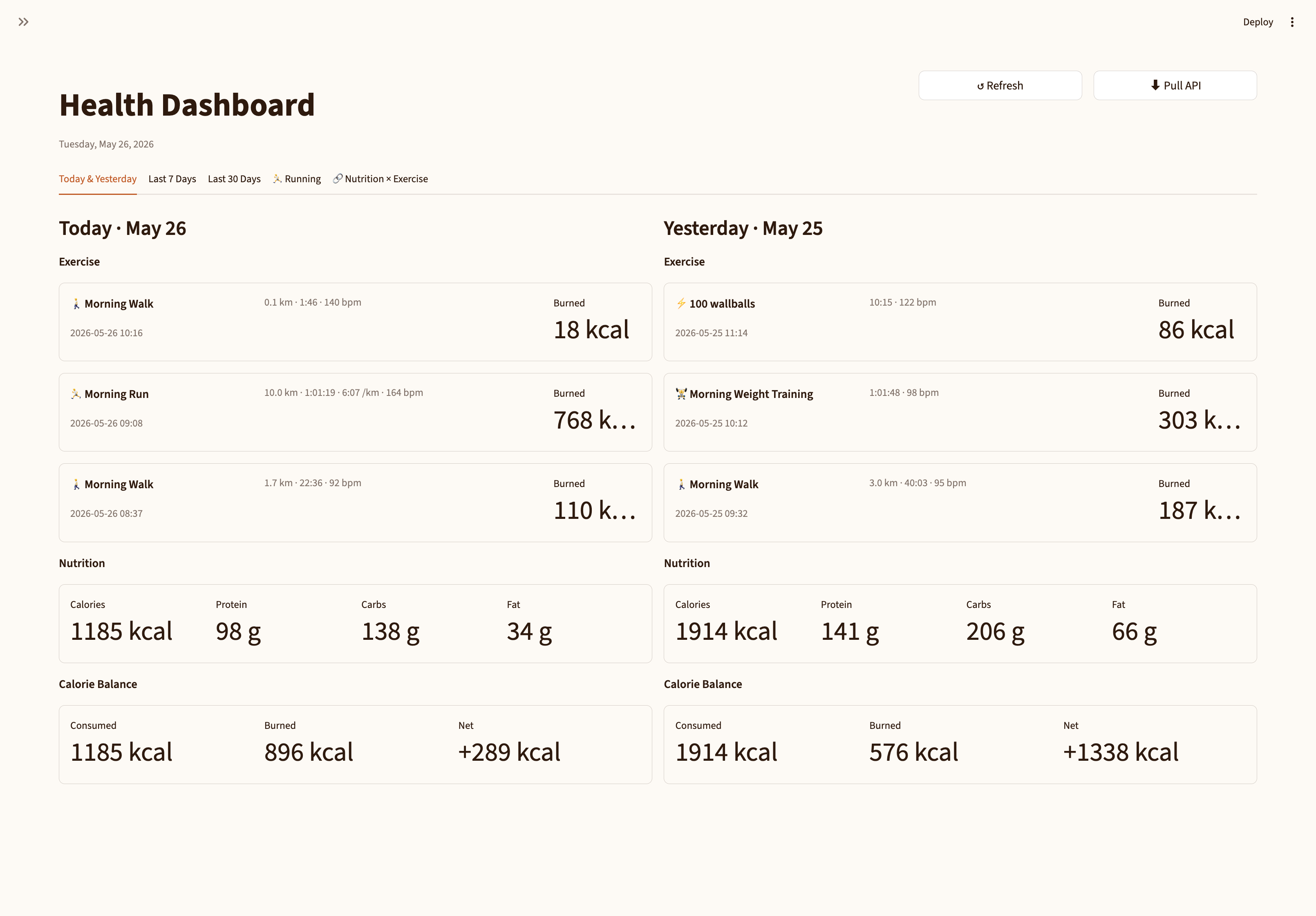 Today and Yesterday side by side — each column shows the morning run plus that day’s nutrition totals.
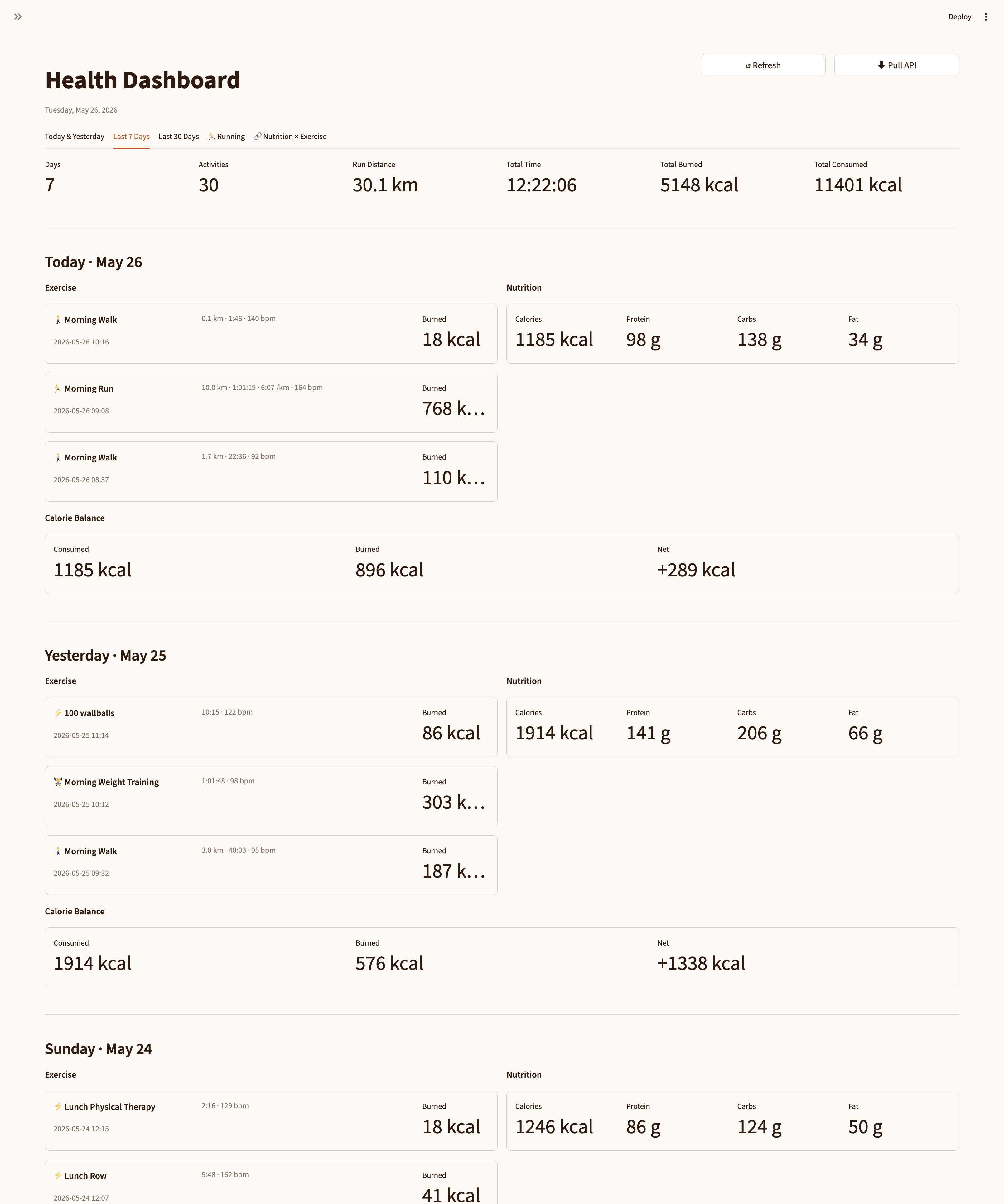 Last 7 Days: aggregate exercise totals at the top, per-day activity list below, and a 7-day nutrition average row.
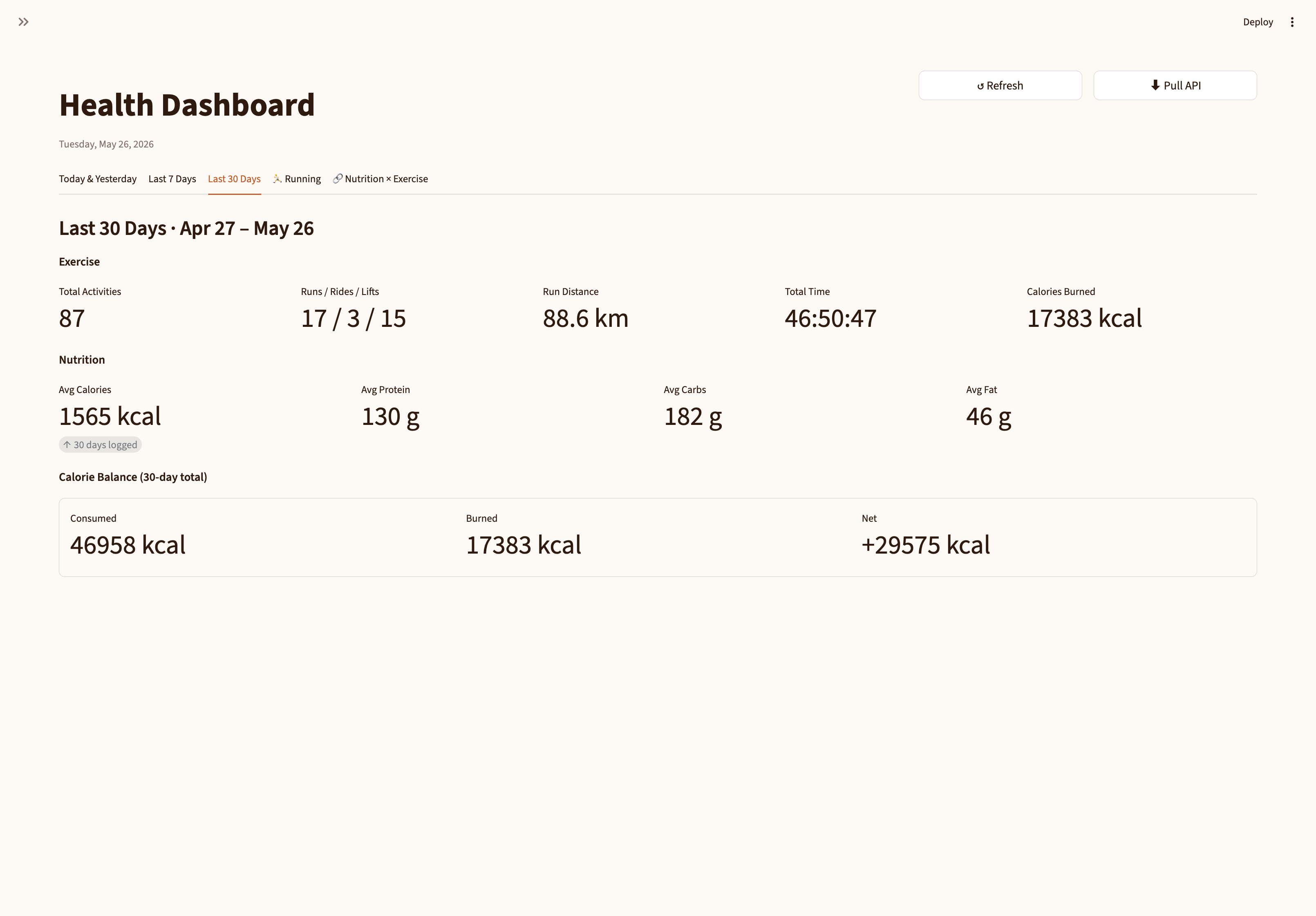 Last 30 Days: same structure over the full month — useful for spotting volume trends that the weekly view smooths over.
What I actually see when I open it in the morning: yesterday’s workout next to yesterday’s food. Whether my protein tracked with my training volume. Whether my calorie intake was reasonable given what I burned. In one glance, without opening three apps.
That’s what the whole architecture was supposed to enable. It now enables it.
What’s still missing
Calorie balance. The interesting cross-source calculation — calories burned (Strava) versus calories consumed (MFP) — isn’t there yet. Each source is displayed separately. A net balance row would make the question “am I fueling correctly?” answerable at a glance.
Goal deltas. The vs-goal comparison in the nutrition cards is wired up but empty because get_goals doesn’t return data yet. This is a gap in the MFP API layer, not the dashboard.
Weight trend. MFP measurements (weight over time) aren’t on the dashboard yet. Adding a small weight chart below the nutrition summary would complete the picture — training load, calorie intake, and what the scale is doing all in one place.
Exercise depth on the Strava side. Elevation, PR flags, suffer score. These fields are in every Strava activity response — they just aren’t surfaced in the cards yet.
All of this is incremental from here. The infrastructure exists; what’s left is UI and data-layer work, not plumbing.